
Databox CLI — Launch Day Report

Launch Day Report
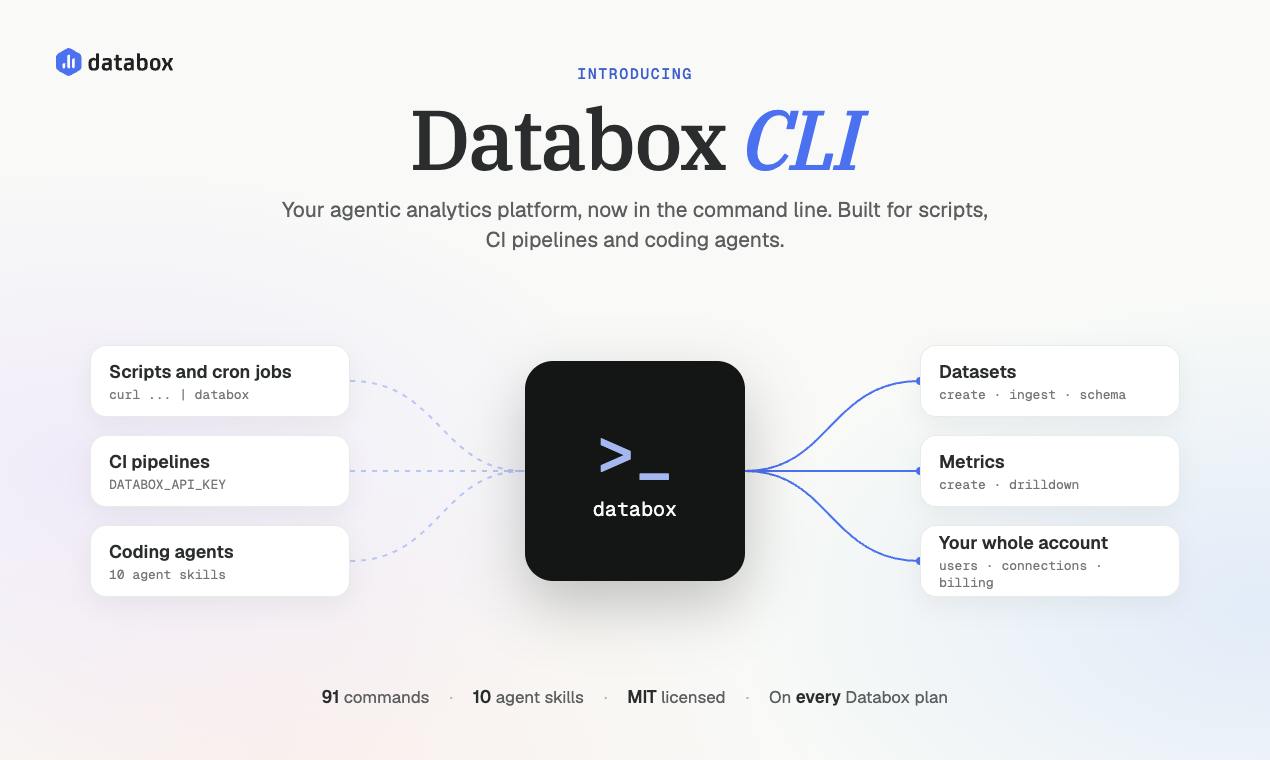
Databox CLI
Your agentic analytics platform, now in the terminal
Launch day · Monday, November 9, 2026
Product Hunt rank
#3
on launch day
Upvotes on Product Hunt
Real launch total vs LaunchPact network
PH total (all sources)
292
Includes organic voters; PH also filters some verified votes, so these numbers aren't directly subtractable
From LaunchPact network
34
Verified from pacts and backers
49 comments on Product Hunt · 7 pact comment proofs in LaunchPact
Network performance
LaunchPact showed up
34
Verified upvotes from pacts and backers
Golden hour
11
31% in first 4 hours PT
Pact comment proofs
7
Partners who verified a PH comment — not PH comment count
LaunchPact network composition
Verified upvotes from the LaunchPact network
Verification timeline
When your LaunchPact network verified — hourly on launch day (Pacific Time)
Launch day hourly breakdown
Hour 0 = golden hour start (12:01 AM PT)
Competitive launch day
Monday · B2B
Planning targets from the upvote calculator — not your live totals above
Monday sits in the middle of the weekly competition curve. A top-3 finish usually takes 316–399 total upvotes — rank #3 puts you in that tier.
PH tier
Typical votes
You
Product of the Day
408–498
408–498
—
Top 3 finish
316–399
316–399
—
Top 5 finish
191–224
191–224
—
Your finish
292 total
292 total
#3
Your network timing
11 of 35 network verifications in the first 4 hours (31%)
Most of your network verified after the first 4 hours. The calculator's 54–100 benchmark reflects total Product Hunt upvotes in hour 1 (including organic traffic), not LaunchPact verifications alone.
Launch day on Product Hunt
Monday, November 9, 2026
How Databox CLI fit into the homepage that day
The launch day featured a mix of AI-driven products, developer tools, and productivity solutions. Many products emphasized agentic capabilities, automation, and AI integration, reflecting a strong trend towards enhancing productivity through intelligent systems. The competition was tight, with products like Dageno AI 2.0 and Arcjet AI security models also focusing on AI and automation, creating a competitive environment for similar offerings.
Databox CLI positioned itself strongly as a productivity tool with a unique focus on terminal-based analytics, contrasting with Dageno AI 2.0's competitive analysis focus and Arcjet AI's security models. Databox CLI ranked third, closely following Dageno AI 2.0, indicating strong interest in productivity tools that integrate well with developer workflows.
Top 10 that day
- 2
Dageno AI 2.0 · See why AI recommends your competitors instead of you
- 3
Databox CLIYou · Your agentic analytics platform in the terminal
- 4
Arcjet AI security models · A family of custom-trained security models for coding agents
- 5
ProtoMap · Stop wasting AI tokens rediscovering dependencies
- 6
Voyager · ✴️ An agentic file browser to navigate your work context
- 7
Higgsfield Miracle · Edit any part of a video without changing the rest
- 8
MCP1 · One URL for every MCP server.
- 9
GitHub New PR Overview · See what's blocking a PR before you scroll
- 10
Cardboard AI · Best way to edit videos with AI
- 11
Pawse.ai · Sound engineered for dogs, not humans
Launch day learnings
- Positioning a product with clear agentic capabilities and automation features can attract significant interest, as seen with Databox CLI's successful launch.
- Emphasizing security features such as idempotency keys can differentiate a product in a competitive landscape, appealing to users concerned about safe automation.
- Ensuring ease of use and accessibility for technical users can enhance adoption, especially when the product aligns with existing workflows, like terminal commands.
- Highlighting seamless integration with AI agents can be a key differentiator, as it was a standout feature for Databox CLI.
- Maintaining consistency with existing APIs, as Databox CLI did, can reassure users about predictability and reliability in command execution.
Comment summary
Databox CLI's launch was met with positive sentiment, highlighting its utility in integrating Databox with terminal workflows. Key themes include the ease of automation, agent capabilities, and security features. Hunters appreciated the CLI's alignment with the API and its potential to streamline data tasks.
Sentiment
- Positive38
- Neutral10
- Negative0
- Mixed3
Top action items
Enhance Security Features
Hunters expressed concerns about agent permissions and the ability to limit access for agents. Consider implementing more granular permission settings for API keys.
Improve Onboarding Experience
Several comments suggested the need for better onboarding to help users integrate the CLI into their workflows quickly.
Expand Agent Skills
Hunters are interested in more agent skills to cover additional use cases and integrations.
Themes
Automation and Agent Integration
18 mentions
Hunters praised the CLI's ability to automate tasks and integrate with AI agents, reducing manual work and enhancing productivity.
Security and Safeguards
11 mentions
Comments highlighted the importance of security features like idempotency keys and explicit confirmation for destructive actions, ensuring safe automation.
Ease of Use and Accessibility
9 mentions
The CLI was noted for its user-friendly design, making it accessible to technical users familiar with terminal commands and AI coding agents.
API Alignment
8 mentions
The CLI's 1:1 match with the Databox public API was appreciated, ensuring consistency and predictability in command execution.
Notable quotes
“Congrats on the launch, Tadej! This is super useful — bringing Databox into the terminal removes so much friction for teams already living in scripts and pipelines.”
@REDACTED · Ease of Use and Accessibility
“Bringing Databox into the terminal especially with clean exit codes and agent skills for Claude Code is really a massive upgrade for developers tired of clicking through UI menus.”
@REDACTED · Automation and Agent Integration
“The safeguards are well thought out, especially idempotency keys and the rejected-rows count on ingest.”
@a Product Hunt hunter · Security and Safeguards
“The 1:1 match with the public API is a smart choice, and the safeguards stand out.”
@a Product Hunt hunter · API Alignment
“Getting a clear added/updated/rejected count back after every push is the part I like. It makes cron jobs much easier to trust.”
@a Product Hunt hunter · Security and Safeguards
“I genuinely found this useful! I like how it makes tracking data and getting meaningful insights feel a lot less complicated.”
@a Product Hunt hunter · Ease of Use and Accessibility
Launch Day Report
Get a debrief like this for your next launch
Launch on LaunchPact, activate your launch, and we generate your full report the day after launch — network stats, comment insights, and a share page like this one.
Shared with permission by the maker. This page shows their full Launch Day Report — network stats and PH Launch Insights. View their LaunchPact launch page. Powered by LaunchPact.