
WTFM — Launch Day Report

Launch Day Report
WTFM
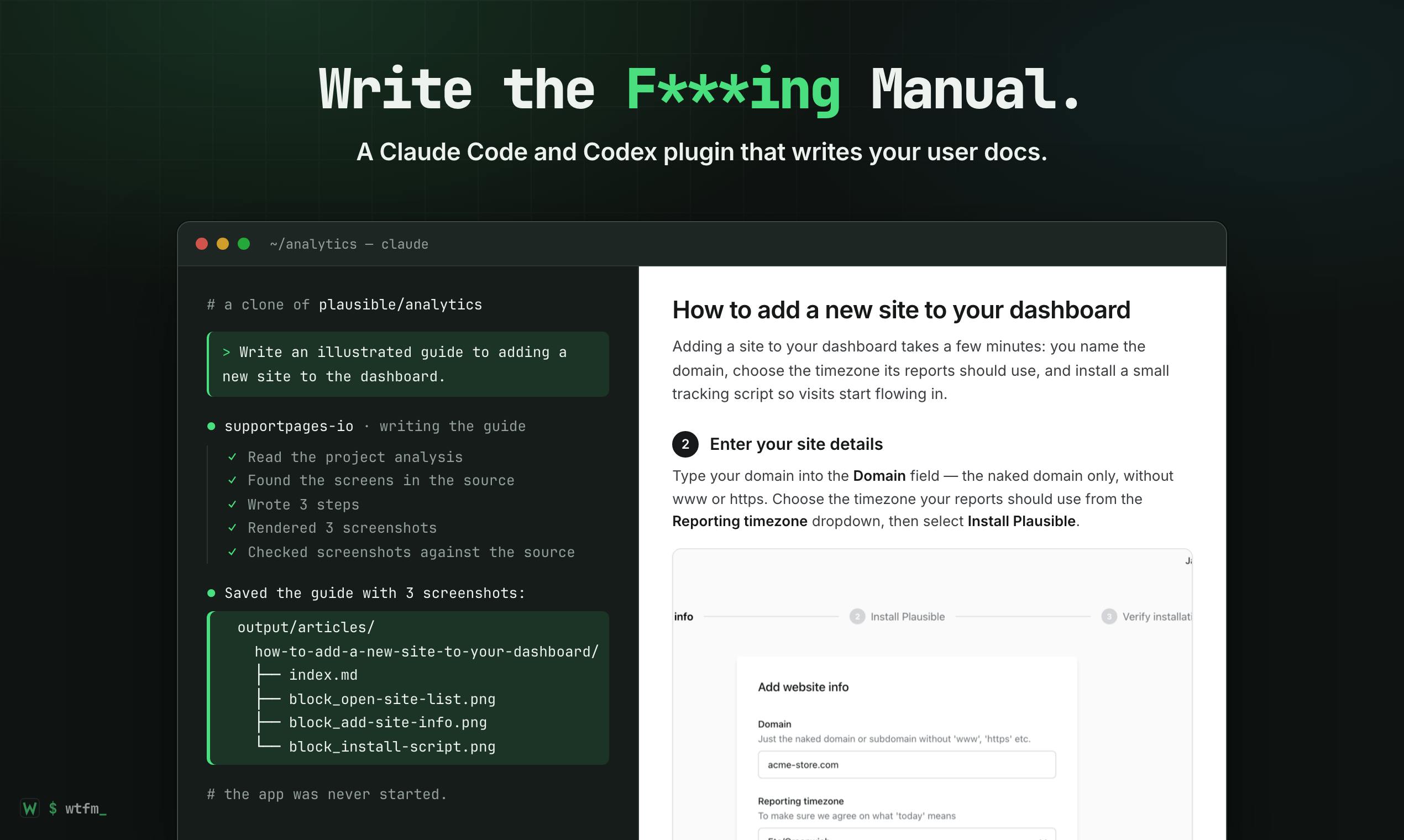
Write the F***ing Manual. Your agent writes the user docs
Launch day · Wednesday, November 11, 2026
Product Hunt rank
#28
on launch day
Upvotes on Product Hunt
Real launch total vs LaunchPact network
PH total (all sources)
25
Includes organic voters; PH also filters some verified votes, so these numbers aren't directly subtractable
From LaunchPact network
26
Verified from pacts and backers
11 comments on Product Hunt · 7 pact comment proofs in LaunchPact
Network performance
LaunchPact showed up
26
Verified upvotes from pacts and backers
Golden hour
18
64% in first 4 hours PT
Pact comment proofs
7
Partners who verified a PH comment — not PH comment count
LaunchPact network composition
Verified upvotes from the LaunchPact network
Verification timeline
When your LaunchPact network verified — hourly on launch day (Pacific Time)
Launch day hourly breakdown
Hour 0 = golden hour start (12:01 AM PT)
Competitive launch day
Wednesday · B2B
Planning targets from the upvote calculator — not your live totals above
Wednesday is one of the busiest days on Product Hunt. You placed on the board; the calculator targets below show what top-tier launches on this day typically aim for.
PH tier
Typical votes
You
Product of the Day
506–618
506–618
—
Top 3 finish
369–496
369–496
—
Top 5 finish
199–232
199–232
—
Your finish
25 total
25 total
#28
Your network timing
18 of 28 network verifications in the first 4 hours (64%)
Strong early network turnout. For context, the calculator's 67–124 figure is a typical Product Hunt-wide upvote pace in hour 1 — not a LaunchPact-only target.
Launch day on Product Hunt
Wednesday, November 11, 2026
How WTFM fit into the homepage that day
The launch day featured a strong presence of AI-driven products, particularly in the areas of fraud detection, personal agents, and communication tools. The top products were heavily focused on leveraging AI for practical applications, such as ad fraud detection, speech-to-text conversion, and AI-powered phone calls. The competition was intense with products offering unique AI capabilities and high upvote counts.
WTFM, positioned at rank 28, faced tough competition from AI-centric products that dominated the top ranks with higher upvotes. While WTFM's focus was on automating documentation for developers, the top products offered broader AI applications, such as fraud detection and personal assistants, which likely attracted a wider audience. WTFM's niche appeal in developer tools contrasted with the more general AI applications of the top-ranked products.
Top 10 that day
- 1
ScroogeFrog AI · AI ad fraud detection that protects your marketing budget
- 2
Nod by n8n · Open source personal agent with its own computer
- 3
CALL-E · Make phone calls with your AI agent (Muse, ChatGPT, Claude)
- 4
Scribe v3 by ElevenLabs · Speech to text with 27% fewer errors in 90+ languages
- 5
Skillbox · One library for your AI skills, synced to every agent
- 6
MiniMax H3-Image · Bringing 4K image generation into the 10-second era
- 7
Relay · DocSend for AI agents: send and receive docs with context
- 8
Shot.video · Multi-camera videos with the phones you already own
- 9
Reddit Reviews · Product pages that collect subreddit sentiment
- 10
Muse Ember by Meta · Meta's low-cost AI model for high-volume agent tasks
Launch day learnings
- Positioning within a niche like developer tools can be challenging on days dominated by broader AI applications; consider highlighting unique features more prominently.
- Emphasize the innovative aspects of your product, such as the screenshot generation from UI code, to differentiate from competitors with higher upvotes.
- Addressing compatibility questions in the launch description could preemptively answer potential user concerns and improve engagement.
- Highlighting the time-saving benefits of your product can resonate well with users looking for efficiency, as seen in positive comment themes.
- Consider engaging with users' curiosity about non-web UI compatibility to expand your product's perceived versatility and potential user base.
Comment summary
Overall, the sentiment is positive with users excited about WTFM's ability to automate documentation updates by generating screenshots directly from UI code. The main themes include interest in the screenshot generation feature, questions about compatibility with non-web UIs, and handling authentication. Users appreciate the potential time savings and reduced manual effort.
Sentiment
- Positive5
- Neutral3
- Negative0
- Mixed3
Top action items
Clarify Non-Web UI Compatibility
Users are curious about WTFM's compatibility with non-web UIs like SwiftUI.
Explain Authentication Handling
Questions arose about how WTFM manages pages that require authentication.
Themes
Screenshot Automation
6 mentions
Users are impressed with WTFM's ability to generate screenshots from UI code, eliminating the need for manual updates when UI changes occur.
Compatibility Questions
2 mentions
Users are curious about how WTFM handles non-web UIs like SwiftUI and pages requiring authentication.
Time Savings
4 mentions
Users appreciate the potential time savings and reduced manual effort in maintaining up-to-date documentation.
Notable quotes
“Docs are the first thing I let go stale as a solo dev, so this hit home. The part that stood out is rendering the screenshots from the UI code itself instead of running the app.”
@a Product Hunt hunter · Screenshot Automation
“Honestly, having it pull screenshots straight from the code is kinda next level. i never keep my docs up to date since i hate taking new screenshots every time something changes.”
@a Product Hunt hunter · Screenshot Automation
“seeing it auto-build docs from your real UI code is something i'd love in theory, but i know i might get lazy and just stick with my mess of notes and screenshots.”
@a Product Hunt hunter · Screenshot Automation
“okay, having a bot grab screenshots from the actual UI while writing the docs is kinda wild. i usually forget to update those until a user asks why there's no green button like the guide says.”
@therayess · Screenshot Automation
“Curious how far it gets with a non-web UI like SwiftUI, or is it mainly built around web templates and routes?”
Product Hunt hunter · Compatibility Questions
“How does it work with pages that require authentication?”
Product Hunt hunter · Compatibility Questions
Launch Day Report
Get a debrief like this for your next launch
Launch on LaunchPact, activate your launch, and we generate your full report the day after launch — network stats, comment insights, and a share page like this one.
Shared with permission by the maker. This page shows their full Launch Day Report — network stats and PH Launch Insights. View their LaunchPact launch page. Powered by LaunchPact.